
Log a meal
Snap a photo, type it, say it, or scan a barcode. The app reads it in the background.
Open the log sheet
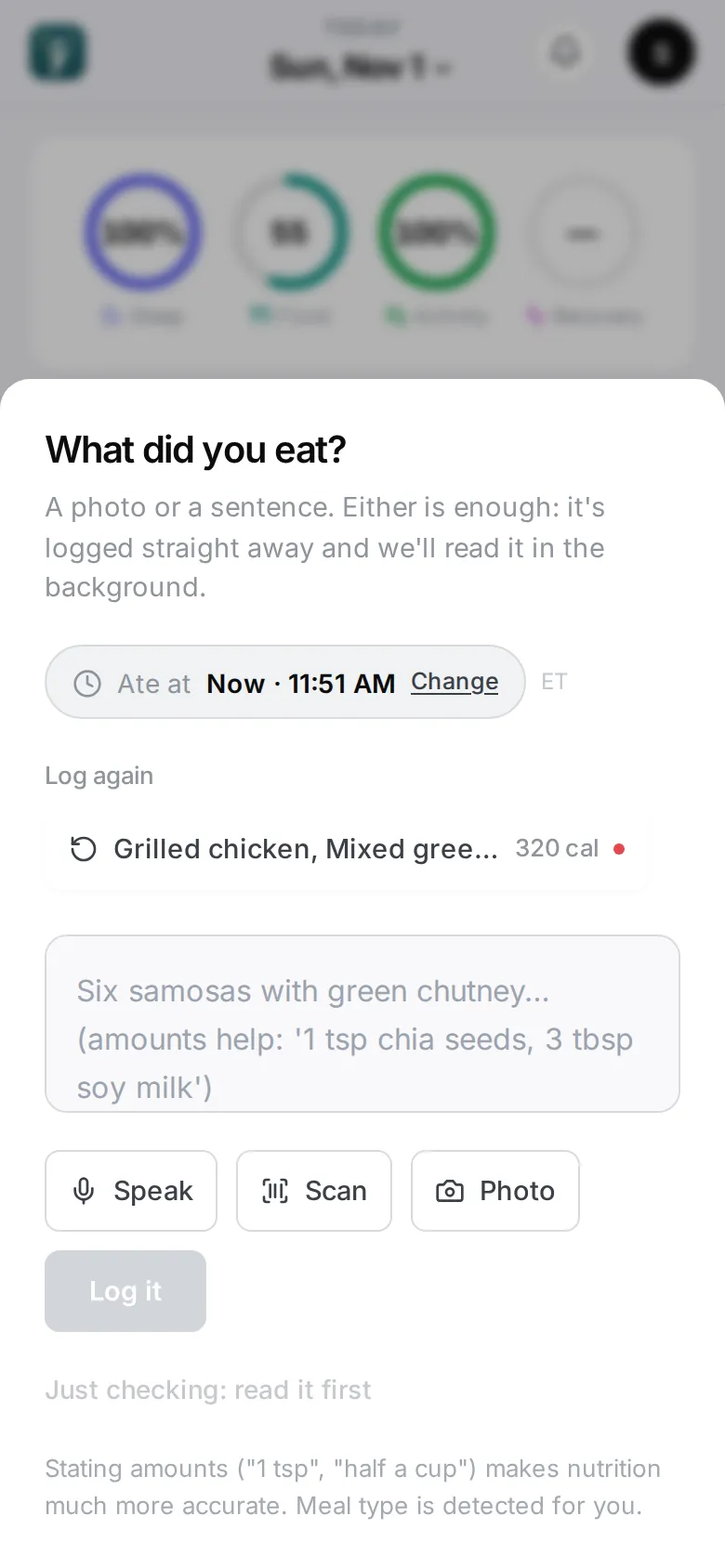
Tap the + in the middle of the bottom bar (on a computer, Log a meal at the top). The sheet asks What did you eat?
You can also start from a meal reminder, or from Snap a photo on Home before your first meal.
Four ways to log
- Photo — tap Photo and take or choose a picture of your plate. Tap it again to remove it.
- Type it — write what you ate in the box, in your own words: “Six samosas with green chutney”, “oatmeal with blueberries and walnuts”. Amounts you know help: “2 eggs”, “120 kcal”.
- Speak — tap Speak and say what you ate. Check the words on Is this right?, then tap Log it, Fix it to edit the text, or Try again.
- Scan — tap Scan and point the camera at the barcode. See Packaged food and barcodes.
You can add a photo and some words together — the words help the app read the photo.
Then tap Log it. The sheet closes straight away.
What happens next
The meal appears on Home with Reading your meal…. For a photo, a few seconds later the row names what is on the plate and says Working out the numbers…. Then the read lands: the foods on your plate and a verdict for your plan. Nothing counts toward your day until it does. Tap the meal to open its meal page.
If it says Couldn’t read, open it and tap Try again, or edit the description. See Troubleshooting.
Log at a different time
The sheet shows Ate at …. Tap Change to set when you actually ate, or Use now to go back to the current time. The time matters: a meal is judged against what you’d eaten before it.
Log a meal on a past day
Pick the day first with the date at the top of Home (see The Home screen), then tap +. The button reads Log to ‹date›. Pick a time if you remember it — or leave it.
On a computer
Paste or drop a photo anywhere in the app and it opens straight into a check of that photo.
Faster ways
- Meals you eat often appear as chips at the top of the sheet. Tap one to log it again.
- Quick check opens the camera straight from your Home Screen.