
Hard moments and cravings
Write a plan for the foods that call you, then hold for ten minutes when they do. A slip gets one recovery step, not a lecture.
Write your plan
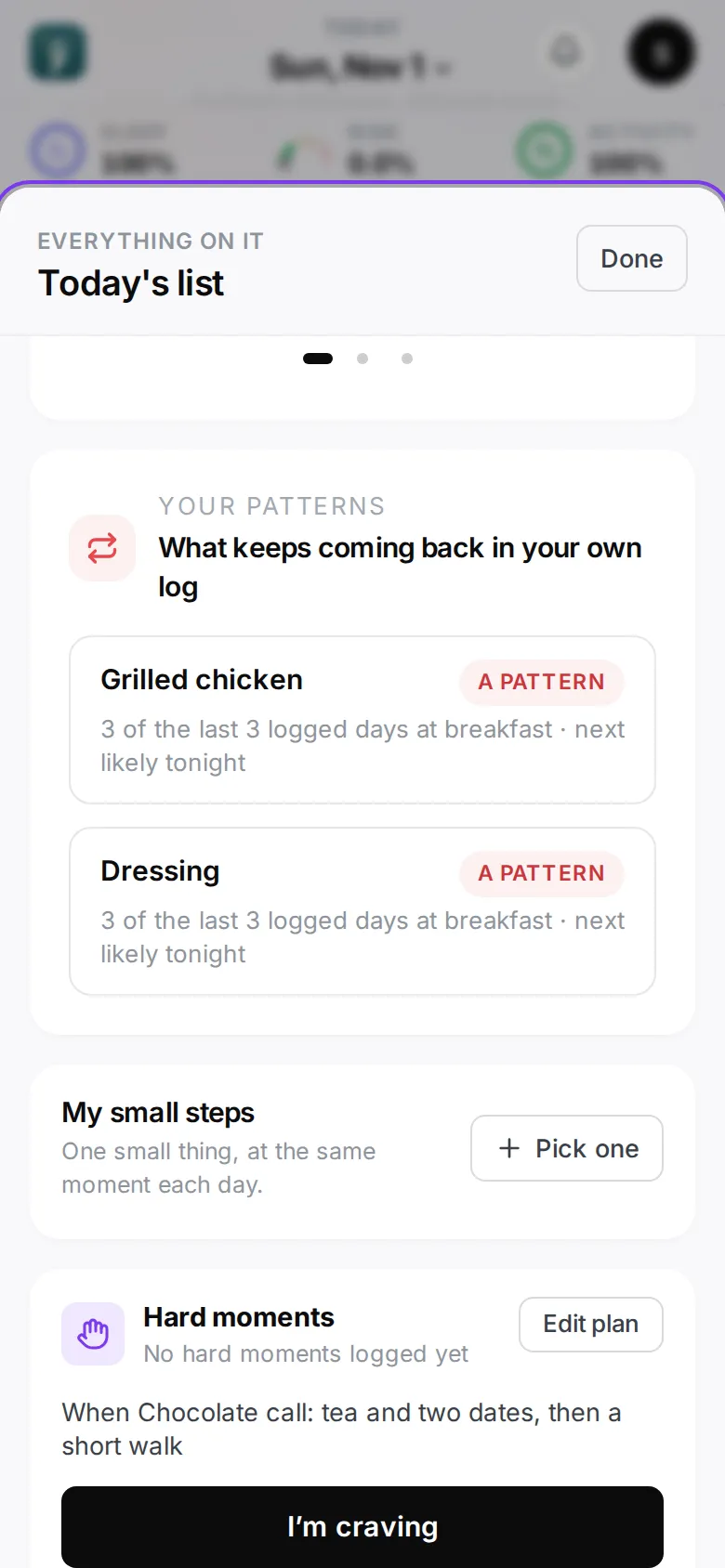
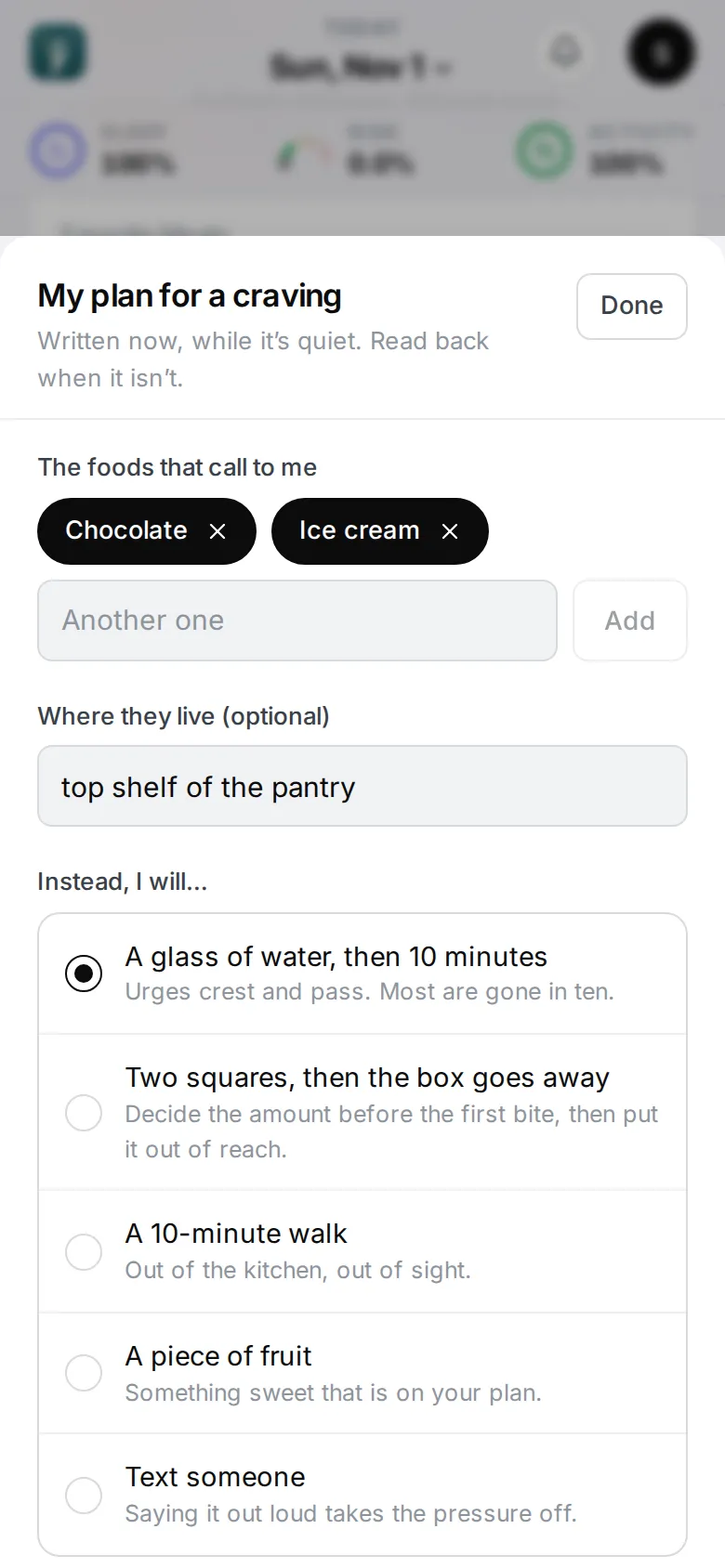
On Home, tap More on the One thing card, find Hard moments and tap Set up (with no plan yet, the Food card’s last row, Write your plan for a craving, opens it too). You can also open it from Profile → Condition & plan → When it gets hard.
Write it now, while it’s quiet — you’ll read it back when it isn’t:
- The foods that call to me — one or more, in your words (“Chocolate”, “Ice cream”). Tap Another one to add more.
- Where they live (optional) — “top shelf”, “in the garage”.
- Instead, I will… — pick one: a glass of water, then 10 minutes · two squares, then the box goes away · a 10-minute walk · a piece of fruit · text someone.
- In my own words (optional) — “Tea and two dates, then I go for a walk.”
- Heads-up before my hard hour — on by default; see below.
Tap Save my plan. Send my plan to someone at home shares it from your phone — the app itself sends nothing.
Tap Edit plan on that card any time to change it.
When it hits: the ten-minute hold
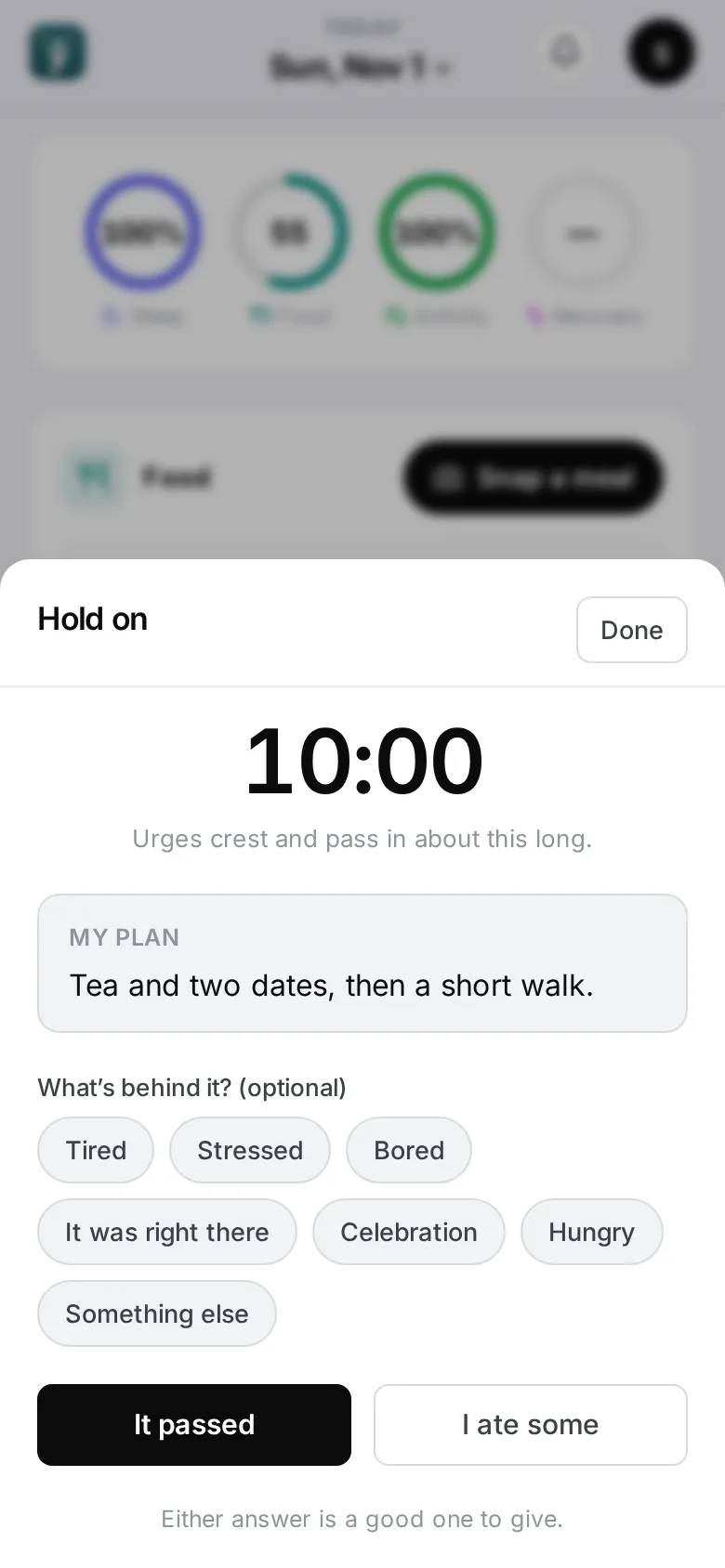
Tap Craving something? Hold on for ten minutes at the foot of the Food card on Home (or I’m craving on the Hard moments card under More), or press and hold the app icon on your iPhone and choose I’m craving.
A ten-minute count starts with your plan under it. Urges crest and pass in about that long. If you like, tap what’s behind it: Tired, Stressed, Bored, It was right there, Celebration, Hungry or Something else — this is what Progress later counts.
Two ways out, and either answer is a good one to give:
- It passed — done.
- I ate some — the log sheet opens, ready for what you had.
A slip is not a fall
A meal logged from the hold, or a big helping of sweets, is read as a slip. Its grade is unchanged — the numbers stay honest — but the words change: no “next time”, no making up for it. The read ends on one recovery step, like a glass of water now or a normal breakfast tomorrow. Maya answers “I slipped” the same way.
The evening heads-up
When your plan’s heads-up is on, the app sends a short note about 30 minutes before your usual hard hour (worked out from your own moments, or dinner plus an hour and a half) — only on evenings with a reason: a short night, a low recovery score, a day of the week that tends to go wrong, or a hard moment earlier this week. The note ends with your plan. Tap it to open the plan.
Trigger foods also show up in the house: a grocery scan and your grocery list mark the foods your plan names.
On Apple Watch
Turn the Digital Crown to the Craving page and tap I’m craving for the same ten-minute hold with your plan on your wrist, then say how it went. Add the Craving complication to open it from your watch face. See Apple Watch.
Looking back
Progress’s Food screen shows what your hard moments have in common — how many there were, how many passed, and the tags you chose — in your own numbers.