
Calories and nutrient tiles
See what you've eaten or what's left, choose which nutrients to show and in what order.
Under the One thing card on Home is a Calories bar and the three nutrients that matter most for your condition — for example saturated fat, sodium and fiber for heart health. Tap All nutrients for the rest.
Eaten or Left
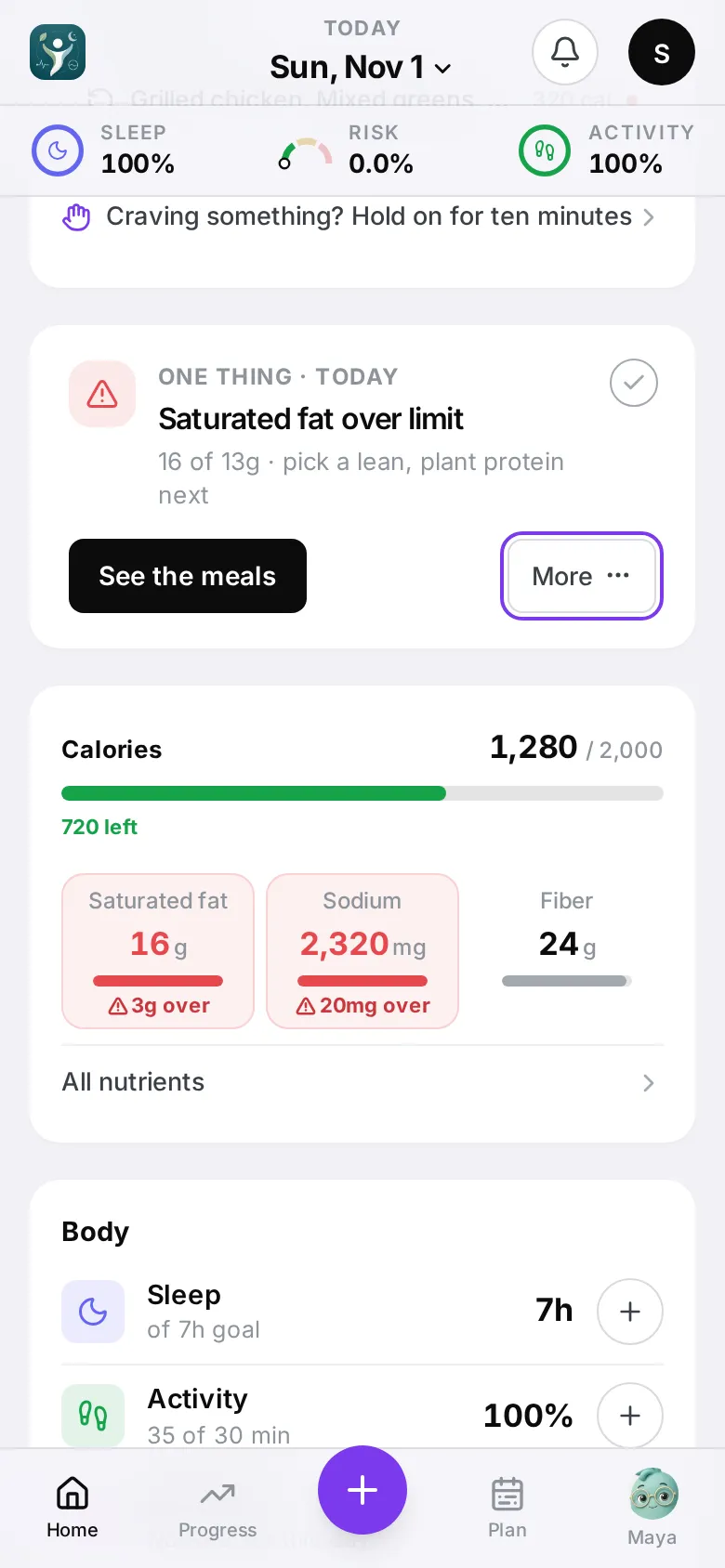
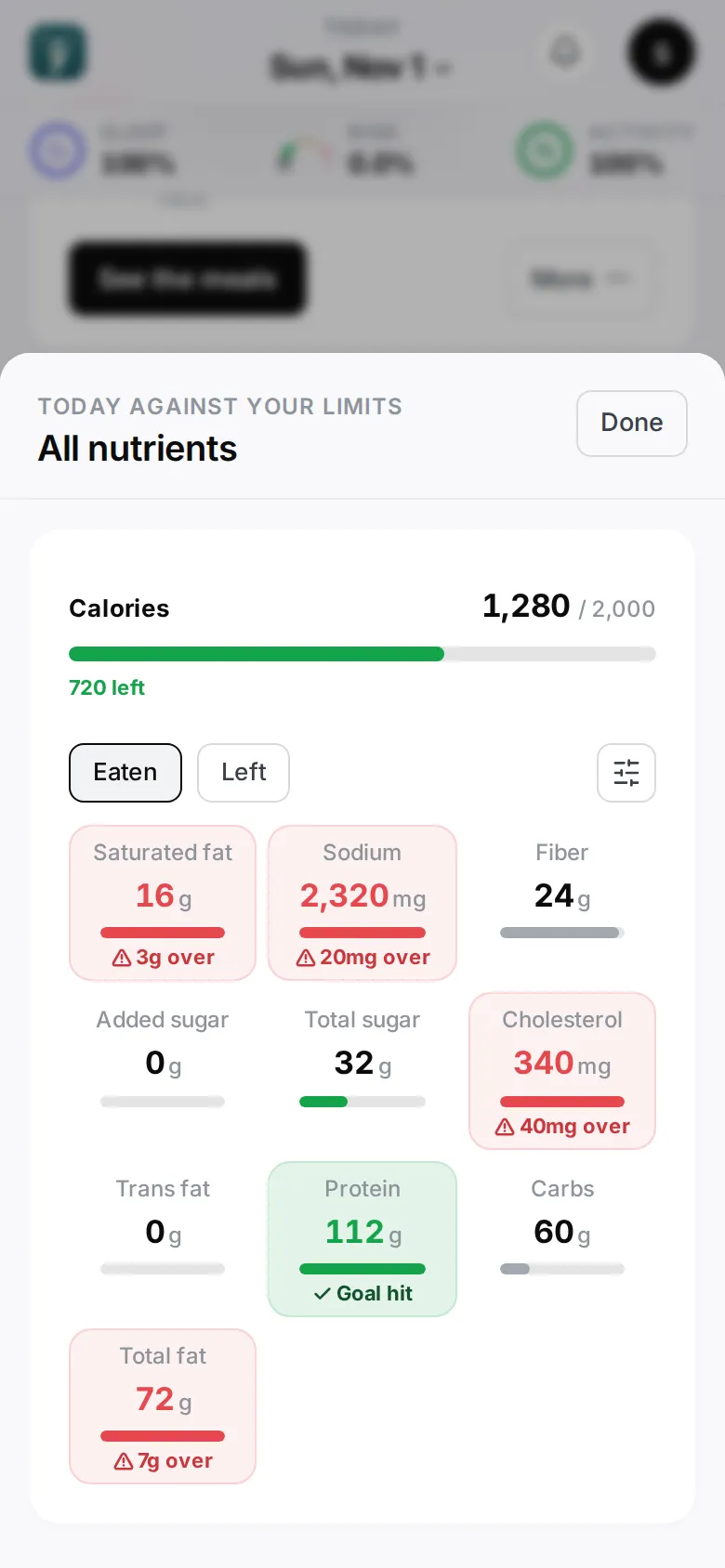
Under All nutrients, tap the toggle to switch every tile between Eaten (how much you’ve had) and Left (how much room is left today).
Choose nutrients
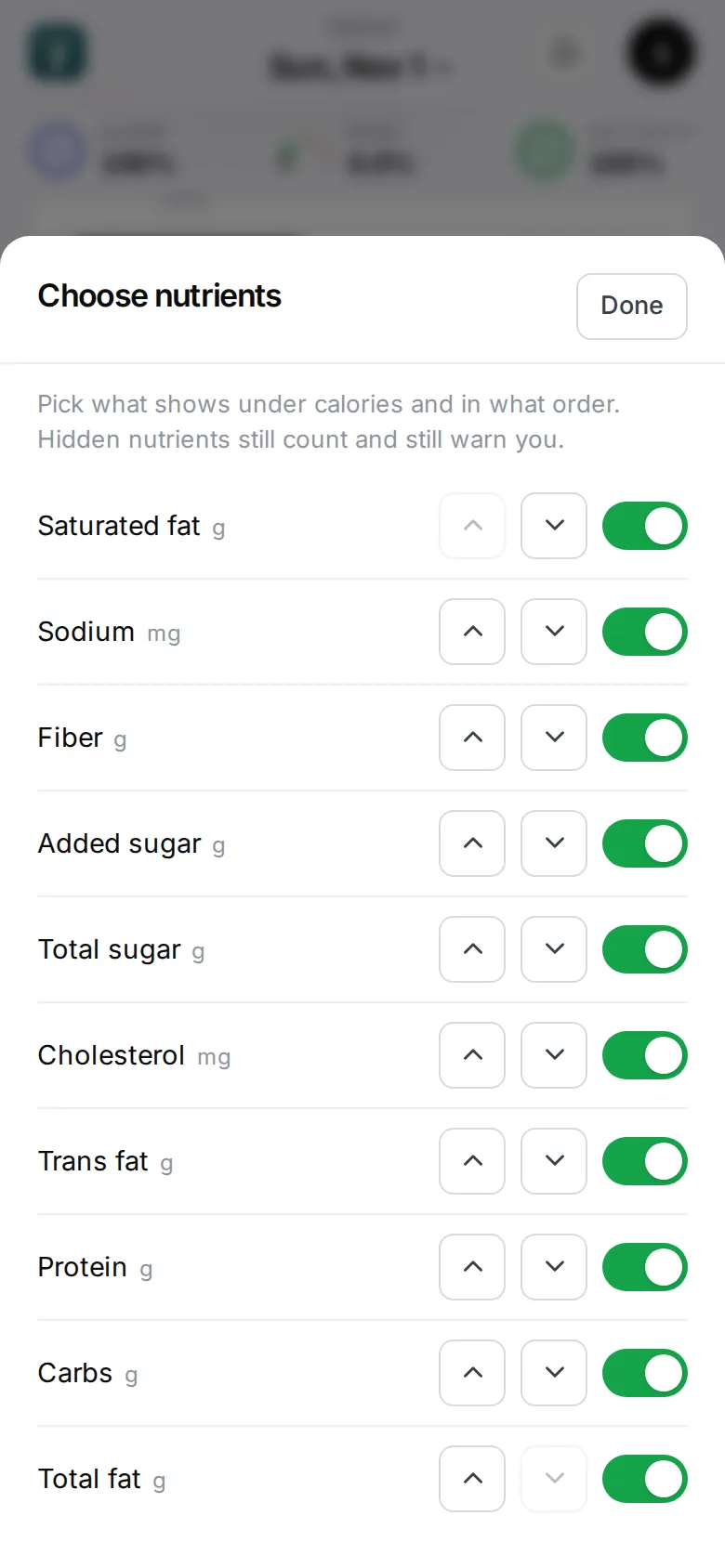
Under All nutrients, tap Choose nutrients to:
- show or hide any nutrient (carbs and fat are available too),
- move a tile up or down,
- Reset to default.
Tap Done. This only changes what you see — it doesn’t change your limits or warnings, and it’s saved on this device.
Tap a tile
A tile opens its detail: your limit, and Where it came from — which meals added the most. If your labs tightened that limit, you’ll see Your labs lowered this limit.
To change the limits themselves, see Labs and daily limits.