
Labs and daily limits
Add your lab results so limits match your numbers, and tighten your own daily limits.
Add lab results
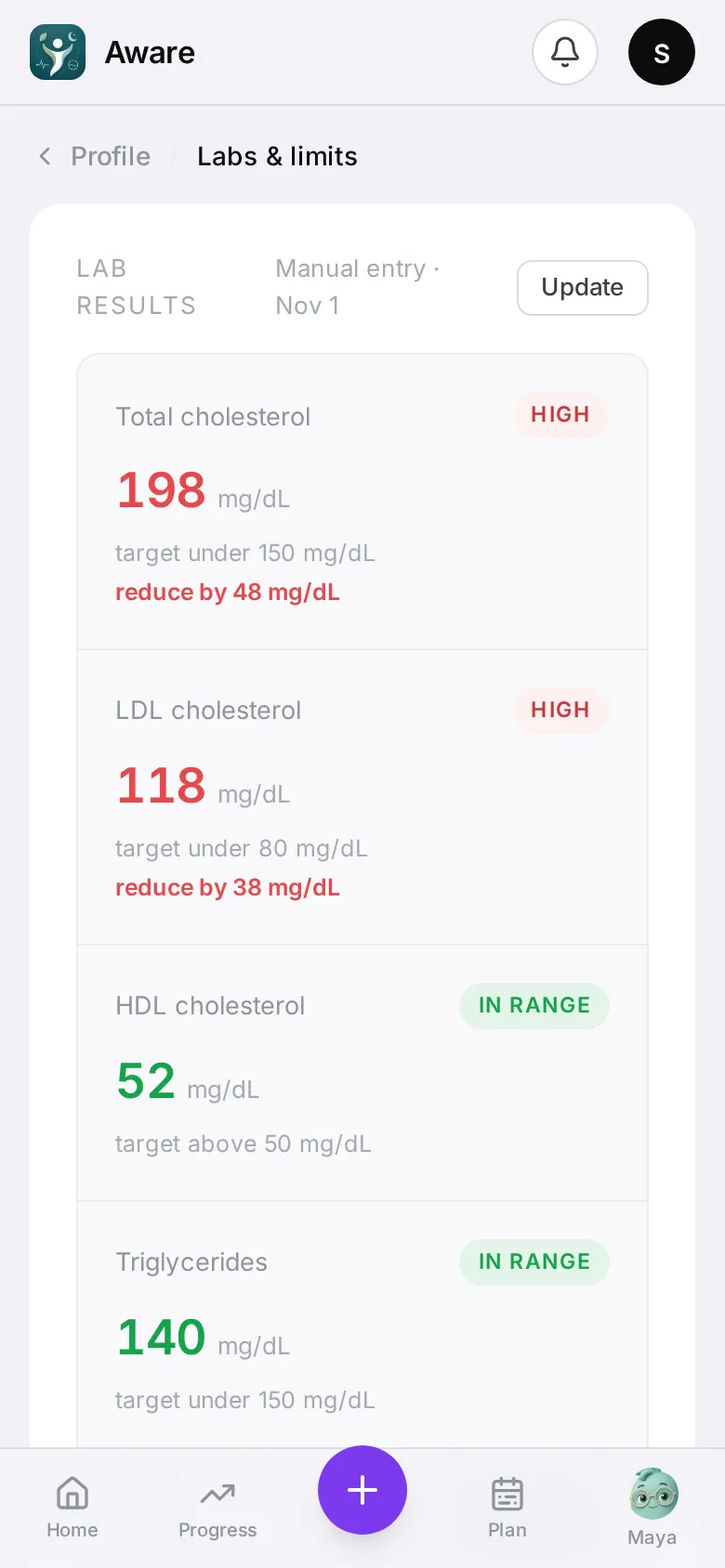
- Open Profile → Labs & limits.
- Either Upload your lab report (a PDF or a photo) — the app reads the numbers for you — or Enter manually.
- Check the values: total cholesterol, LDL, HDL, triglycerides and HbA1c. Any you don’t have can be left empty.
- Tap Save results.
You’ll see each marker’s state (in range, borderline, high or low). When a marker is out of range, the related daily limits get tighter and meals are judged more strictly — marked Tightened by your labs.
Add new results whenever you have them with Update.
Change your daily limits
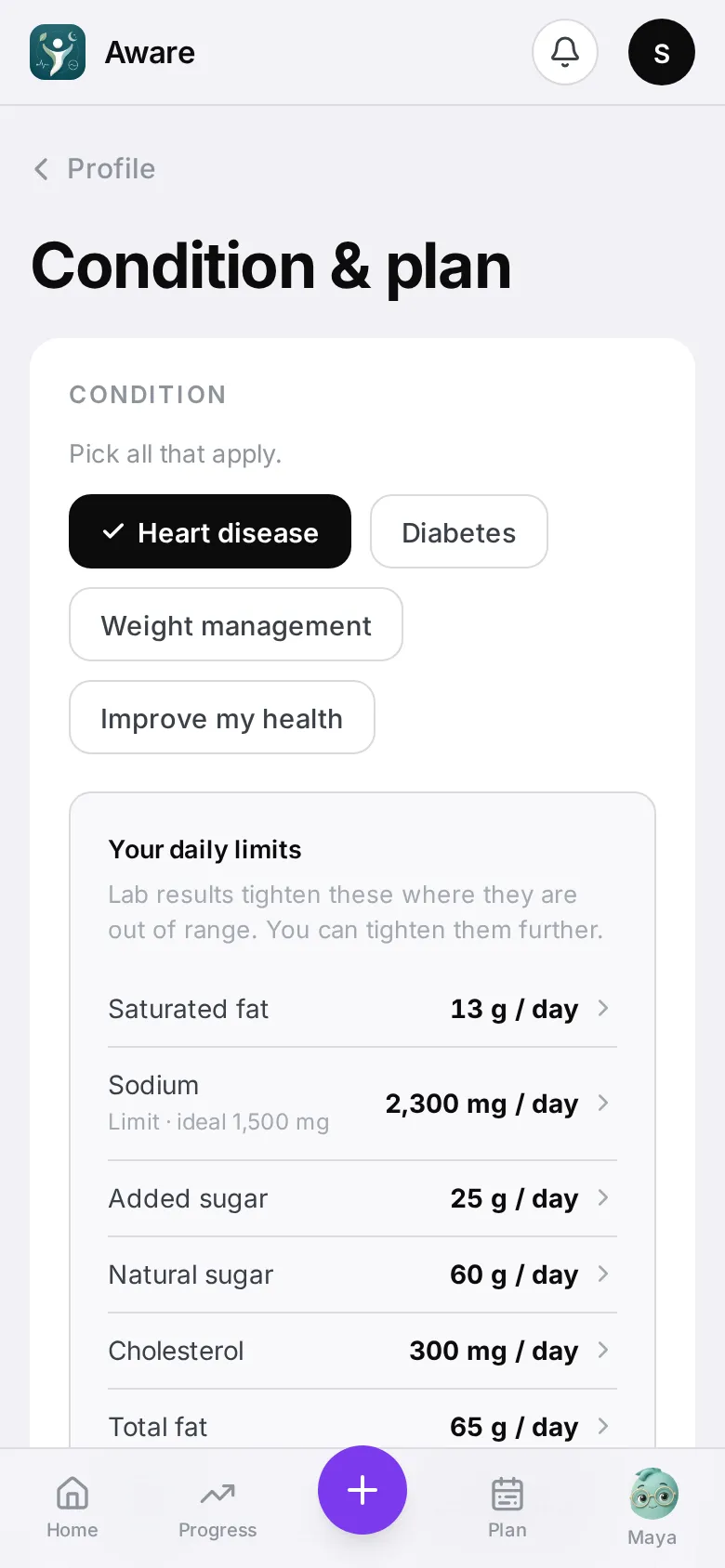
Open Profile → Condition & plan → Your daily limits. Use − and + on a limit, then Save.
You can only make limits healthier: limits like sodium and saturated fat can only go lower than your guideline, fiber can only go higher, and protein and carbs can go either way. Calories can’t be changed here. Reset to guideline puts them back.
Your day score still grades against the guideline; your own limits drive warnings and tiles.
Why a limit is what it is
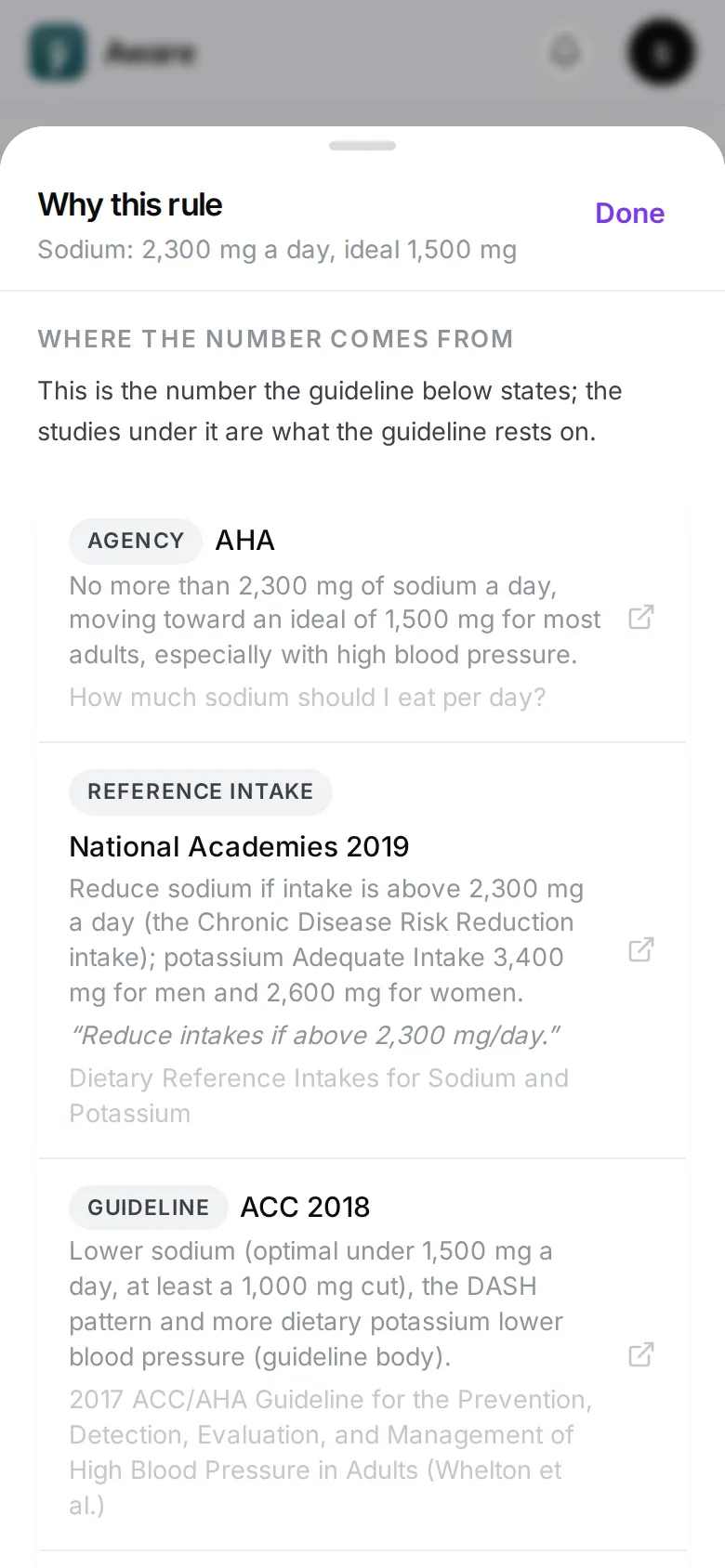
Open a limit and tap Why this limit. The sheet says whether the number is the guideline’s own or the app’s line inside the range the guidelines allow, then lists each source: the kind (guideline, agency page, trial, review of trials), the organisation and year, one line on what it states, and a link to the published page. Calories open the same sheet with a tap.