
Friends, cheers and crave buddies
Add friends by name or email, see how their week is going, cheer them on, and ask a buddy for a word when a craving calls.
Add a friend
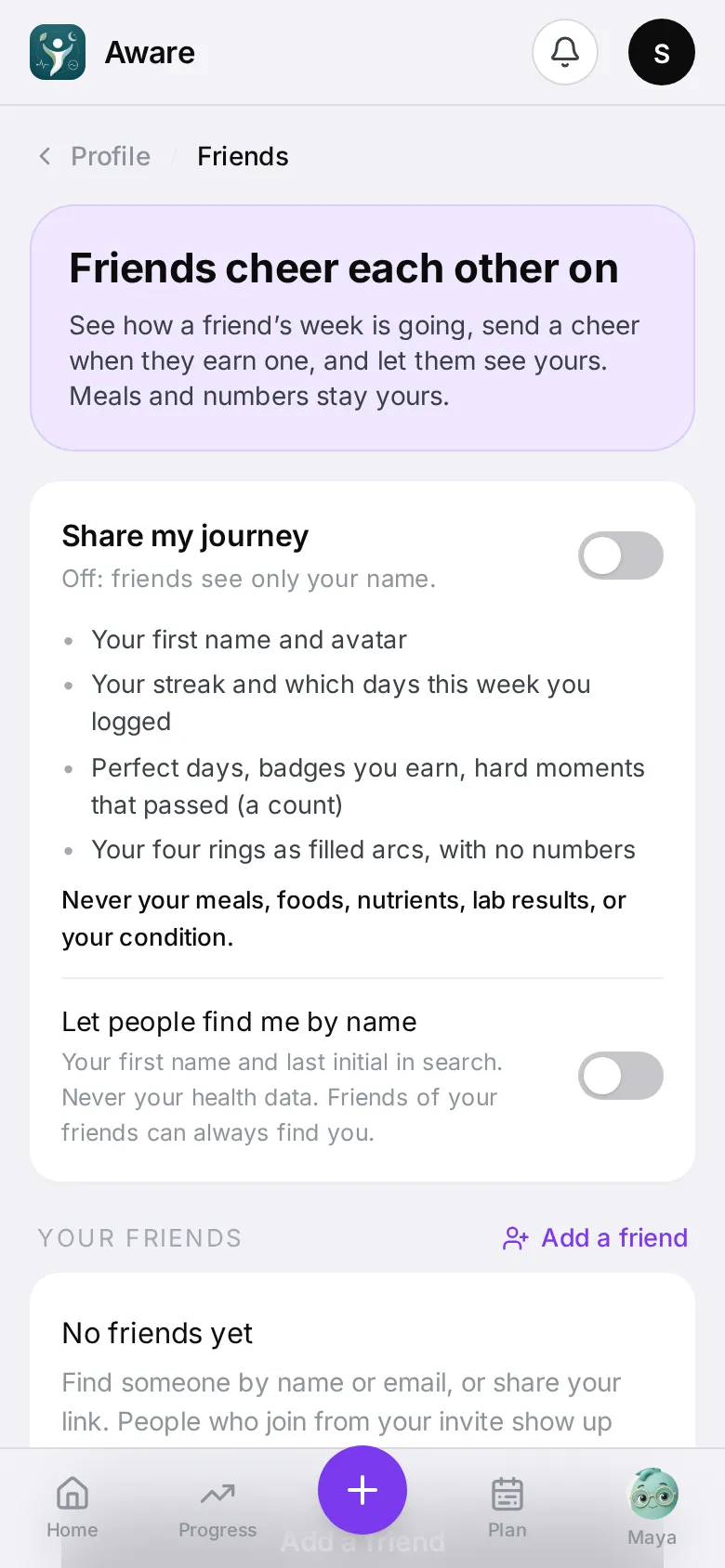
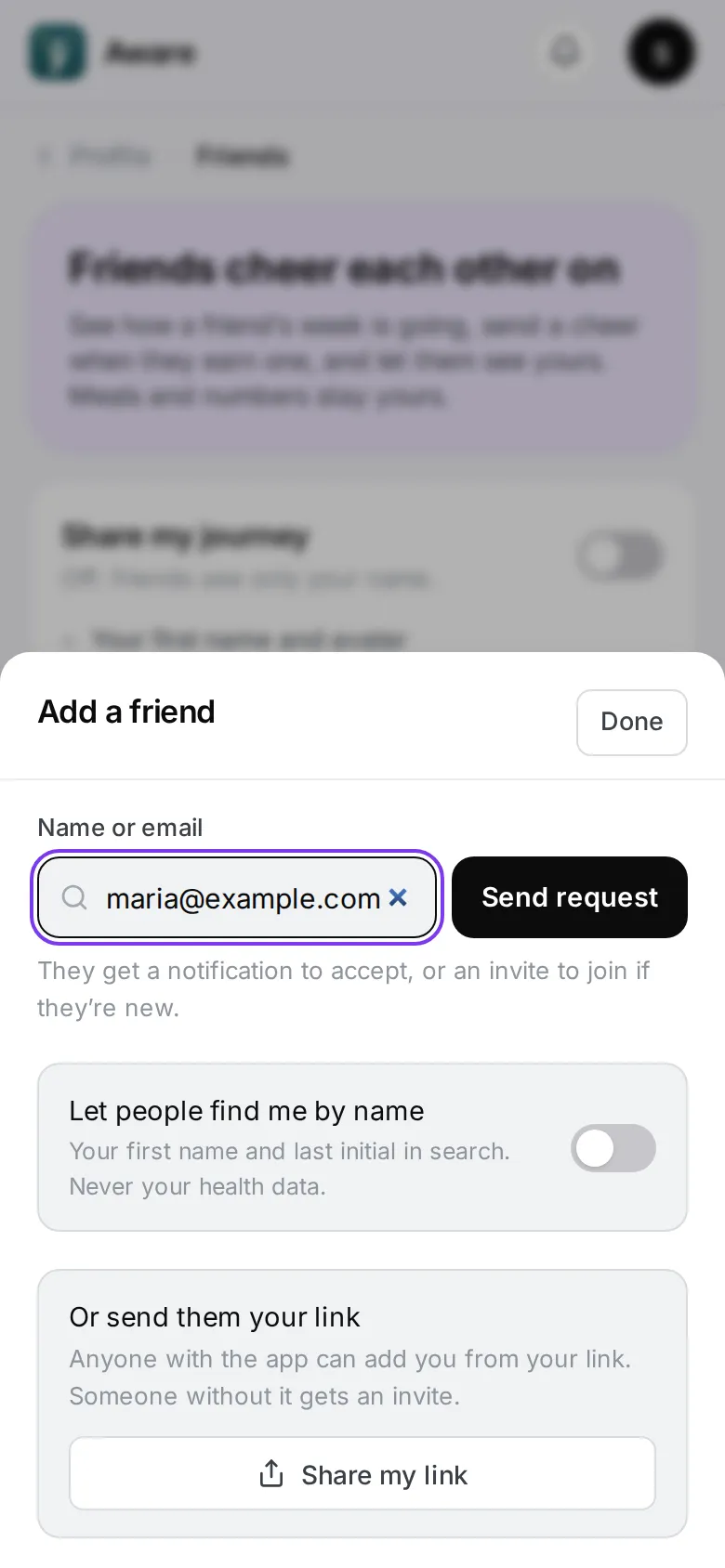
Tap your face in the top corner, then Friends, then Add a friend. One box does it all:
- Type a name — people show up as you type, by first name and last initial, with how many friends you share. Tap Add.
- Type an email — tap Send request. If they use the app, they get a notification to accept. If not, they get an invite to join, with a TestFlight email to install Aware on their iPhone, and your request is waiting when they first sign in. Either way you see the same message, so nobody can use it to check who uses the app.
- Paste an invite link — tap Add.
Or tap Share my link to send yours from your phone.
Requests you sent wait under Waiting on them until they accept. A request sent by email shows the address you typed. Tap Withdraw to take one back.
Who can find you by name
Nobody, unless you choose. Switch on Let people find me by name (on the Friends page or in the Add a friend sheet) and other people can find your first name, last initial and picture. Friends of your friends can always find you this way, even with the switch off. Your health data is never part of search.
When someone adds you
You get a notification: “Maria wants to be friends.” Tap it and the Friends page opens on that request. Tap Accept, or Not now to say no quietly. Requests also show on Home, in the line under your rings.
What a friend sees
Nothing about your journey until you switch on Share my journey. Then a friend sees your first name and picture, your streak, which days this week you logged, perfect days, badges, how many hard moments passed, and your four rings as filled arcs with no numbers. Include sleep, activity and recovery rings has its own switch.
A friend never sees your meals, photos, foods, nutrients, lab results or your condition.
Cheer each other on
Tap Cheer on a friend’s card, or on a badge or moment in their week, pick 🎉 🔥 ❤️ 👏 and add a short note if you like. They get one notification a day from you, and every cheer lands in their For you list.
Crave buddies
Pick up to three friends as crave buddies on the Friends page. Each one has to say yes, knowing your ask may come at night.
During the ten-minute hold for a craving, tap Ask a buddy (Ask my buddies when you have more than one). Your buddies get one notification with your first name, and tap Send a word to pick a ready line or write their own. Their words appear right inside your hold, on your phone or watch. If the moment passed, they hear that it did. If you ate, nothing is sent. See Hard moments and cravings.
Remove, block or stop sharing
Tap More on a friend’s card to Remove friend or Block. Switching off Share my journey, removing someone or blocking them stops sharing at once.