
Your condition, plan and preferences
Change what you're managing, see your nutrition plan, and update your details, eating pattern, home cooking and appearance.
Condition & plan
Open Profile → Condition & plan.
- Condition — pick everything you’re managing (Pick all that apply) and tap Save. Meals are then judged against the right plan — for example heart disease and diabetes together.
- Your daily limits — each limit shows where it comes from. Tap a limit, then Why this limit to see the guideline that states the number and the studies behind it, with links to the published pages. See Labs and daily limits.
- Your nutrition plan — the published guideline your meals are scored against. For heart disease it is the American Heart Association’s heart-healthy pattern, in two tiers: Foods to avoid (processed meat; butter, ghee, lard, coconut or palm oil as the cooking fat; sugar-sweetened drinks) put a meal off your plan in any amount, and Keep rare and small (red meat, full-fat dairy, refined grains, sweets, deep-fried food, fruit juice, alcohol, more than one whole egg) marks it caution, never off plan. Fish, poultry, nuts, one egg, low-fat dairy and liquid plant oils are on the plan. Under each food rule, Sources lists the guideline and studies it rests on; What this plan rests on at the bottom opens them all. Every link opens the publisher’s page, the PubMed record or the DOI.
- When it gets hard — your plan for cravings; see Hard moments and cravings.
- How your numbers work — the scores, risk and limits explained.
Preferences
Open Profile → Preferences.
- About you — age, height, weight, sex, typical activity and eating pattern (Omnivore, vegan, vegetarian, pescatarian, low carb, keto, gluten-free, paleo or kosher). Tap Save; Your daily targets update. Your eating pattern is respected by meal plans, suggestions and Maya. There is no separate goal to pick: choosing Weight management as a condition sets your calories 15% below maintenance.
- Dark mode — the switch on the Profile page. Until you choose, the app follows your phone.
- Cuisine you eat most — helps meal ideas fit what you cook.
- Where you shop — which seasonal produce calendar the app reads for you: US (national) or Northeast US. Until you choose, it follows your phone’s time zone. The in-season fruit and vegetables in your daily email come from this calendar, and so will the dishes the app suggests. Let my phone decide clears your choice.
- Home cooking — turn on I cook at home without oil or ghee if that’s how you cook. Meals you make at home are then read with no cooking oil, ghee or butter, so you don’t have to write “no oil” every time. Food from a restaurant, takeaway or packet still counts its oil. The whole read follows: a home dish is not called off your plan for a cooking fat it did not have, the meal’s words say so, and What went in? does not ask you about oil on a home dish. If you take the oil out of a couple of meals yourself, the meal page asks once whether to turn this on.
- Feedback — Send feedback to tell us something broke, a read was wrong, or you have an idea.
Your avatar
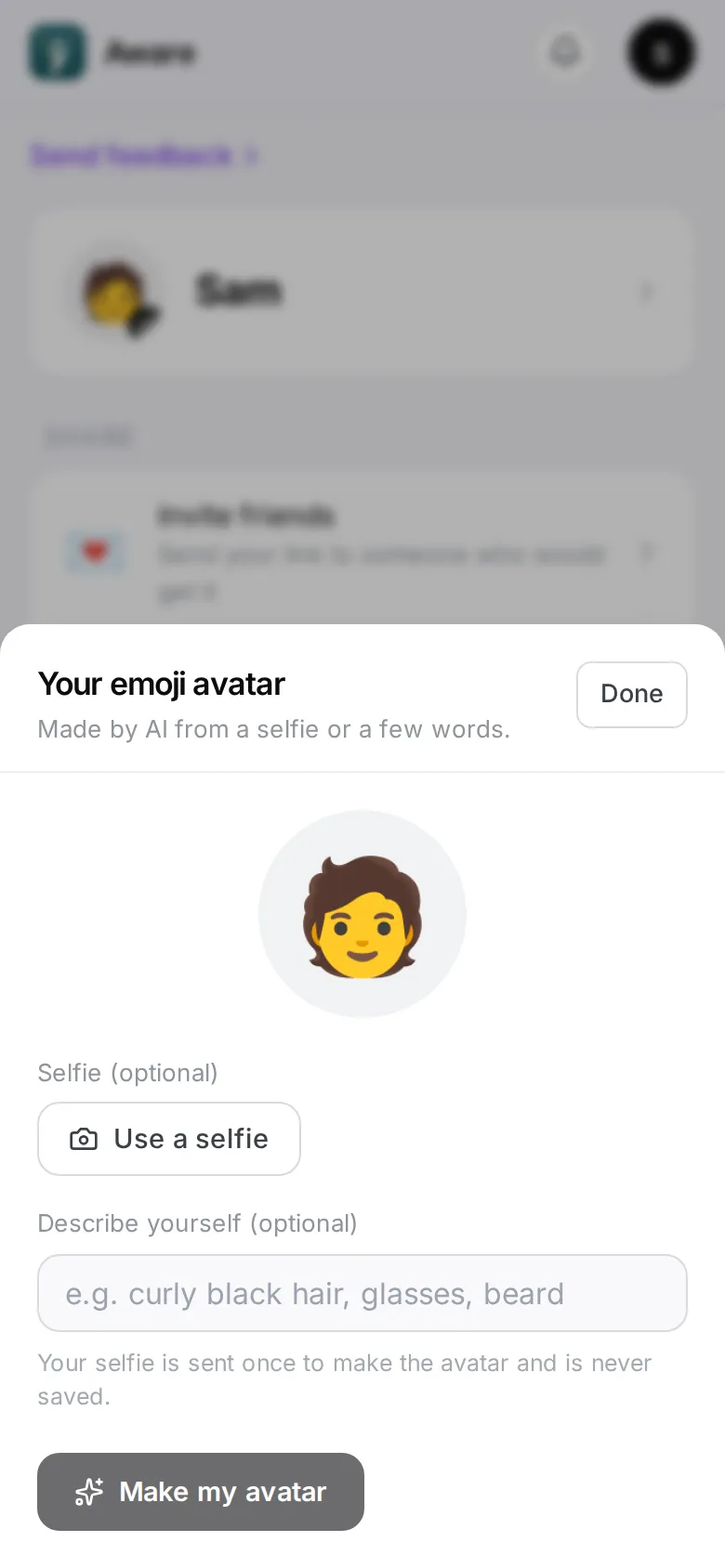
Tap your face at the top of Profile. Use a selfie (optional), describe yourself in a few words (optional), then Make my avatar: AI draws an emoji-style face for your profile and the top of every screen. The selfie is used once and never stored. Tap your avatar again to make a new one or remove it.