
← Help · Notifications & reminders
Notifications and reminders
Choose which reminders you get and when, and how often Maya checks in.
Open Profile → Notifications & reminders. Everything here is optional. Everything the app has sent you is kept behind the bell at the top of the screen.
Your phone has to allow notifications before anything can reach you. Once you have logged a meal, Home offers to turn them on (the One thing card, Turn on), and the Push notifications switch below asks too. If you said no when the phone asked, allow them in iPhone Settings → Notifications, then turn the switch on.
Reminders
Switch on the ones you want and set their times. Times are in your own time zone.
- Wind down for bed — 30 minutes before your bedtime target.
- Drink water — only when you’re behind for the time of day.
- Time to move — skipped once your activity goal is met.
- Log your meals — skipped when that meal is already logged. Often worded from your own usual meals.
- Streak at risk — an evening heads-up when today hasn’t counted yet.
Some reminders have buttons, like Log it or +1 glass. If a reminder goes unanswered several times in a row — no tap, and nothing logged later that day — it pauses itself for a week. Logging water or a meal later the same day counts, even all at once in the evening. A paused reminder shows Resume; tap it, or switch the reminder off and on, to bring it back.
Notifications & nudges
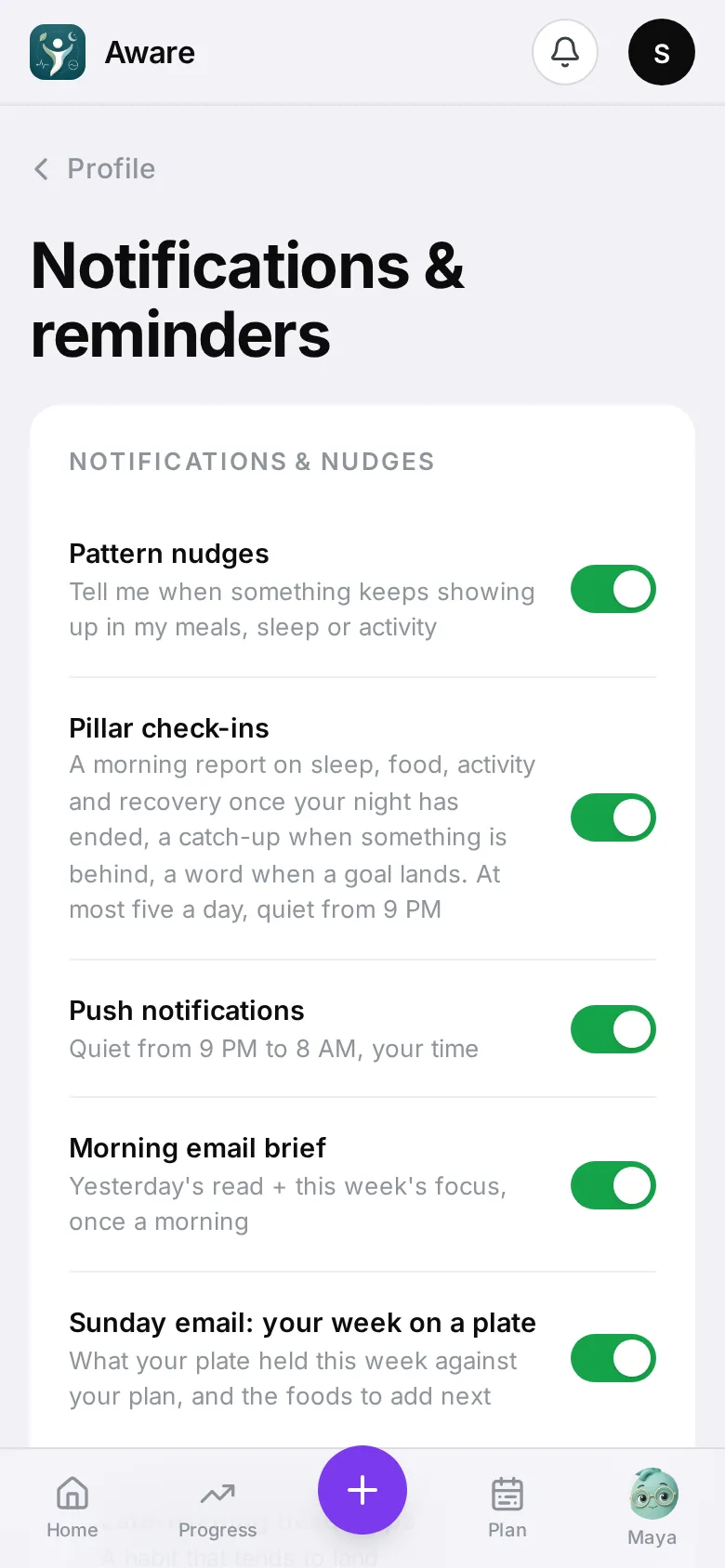
- Pattern nudges — when the app notices a pattern over several days (for example salty dinners), it tells you, then checks later whether it changed. At most one a day. These include foods to add: when a food group your plan wants on most days (leafy greens, beans and lentils, vegetables) shows up too rarely over the last four weeks, or vegetables keep ending up a small side beside rice or bread, you get one food to add, starting with one you already eat.
- Pillar check-ins — a short morning report on yesterday’s food, sleep, activity and recovery, a catch-up later in the day if something’s behind, and a “nice work” when you hit a goal. The afternoon and evening catch-ups have +1 glass (when you’re behind on water) and Ask Maya buttons.
- Evening heads-up — if snacking late at night has become a pattern for you, a note at 6 PM, before dinner, names the snacks that tend to show up, with a suggestion for tonight. It comes at most once an evening. Turn it off with the pattern nudges.
- Push notifications — on or off for this device. The switch shows whether this phone can actually receive them: if it reads off while you expected notifications, turn it on and allow them when the phone asks. Quiet from 9 PM to 8 AM, your time.
- Morning email brief — yesterday’s eating in one email.
- Sunday email: your week on a plate — on Sunday morning, what your plate held that week (how many days each food group showed up), what to add next, what went well, and how last week’s note went. If you logged fewer than three days, it says so instead. The unsubscribe link in either email stops both.
Maya checks in
When it’s on, Maya sends a short note when a meal breaks your plan or the day is running well over a limit. Choose how often: More, Balanced or Less. She sends only a few a day at most and respects quiet hours.
Small steps
Each small step you start sends one reminder at its moment, with Done and Not today.