
Edit, move or delete a meal
Change what you ate, when you ate it or how much — or delete a meal and undo it.
Open the meal from Home and tap Edit (the pencil at the top).
Change what you ate
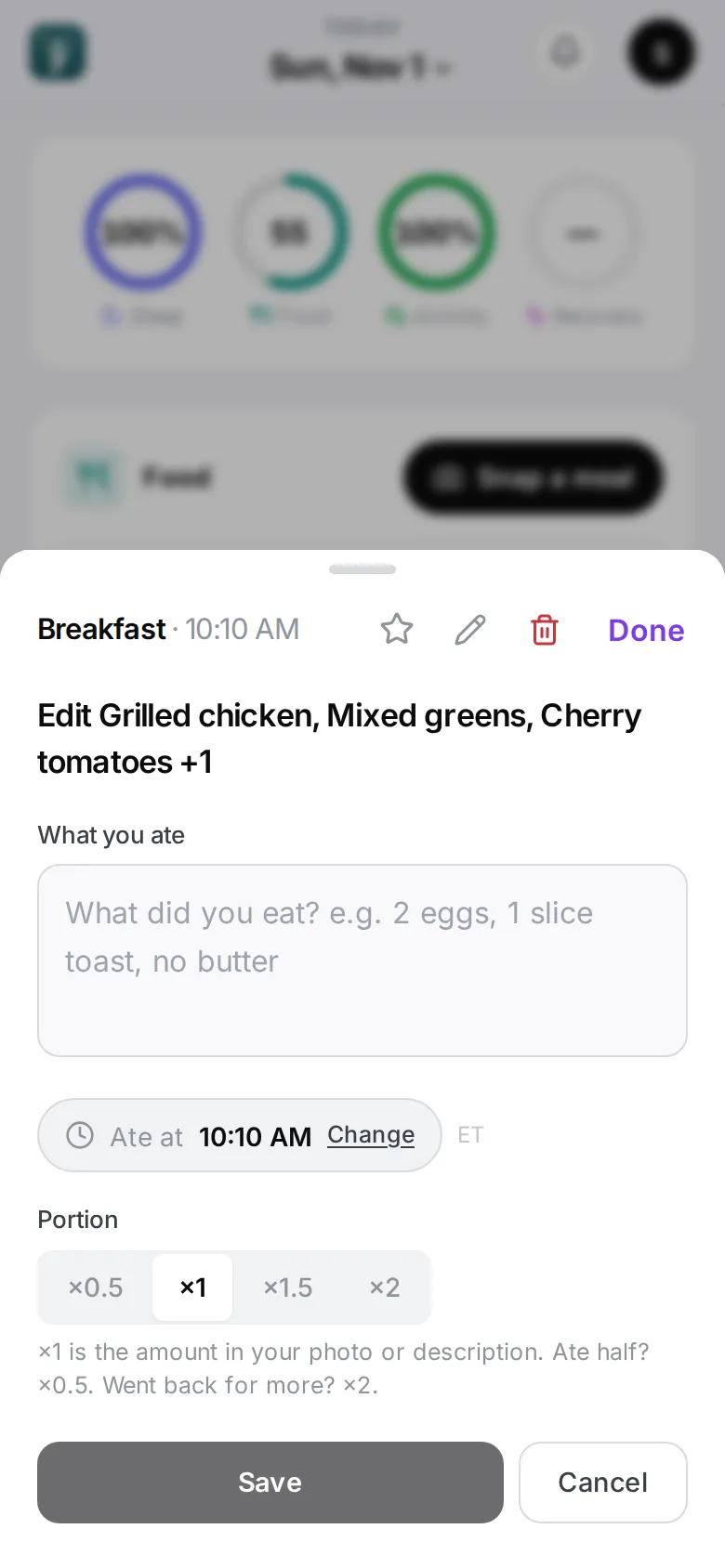
Edit What you ate and tap Save. The app re-reads the meal with your words as the truth — you’ll see Re-reading your meal… for a few seconds.
For small fixes (one food, its grams), Fix a meal read is quicker.
Change the time
Change Ate at and tap Save. The meal moves in your day; the food isn’t re-read. Moving it past midnight moves it to the other day.
Change the portion
Pick ×0.5, ×1, ×1.5 or ×2 under Portion and tap Save. Every number scales — nothing is re-read.
Delete a meal
Tap Delete (the bin at the top). An Undo button appears at the bottom for a few seconds. Deleted meals can also be restored by Maya within 24 hours — just ask.
A meal that couldn’t be read
If a meal shows Couldn’t read this one, tap Try again, or Remove. If it keeps failing, edit the description to say what was on the plate.
“This read looks unusual”
When the numbers look implausible, the app asks This read looks unusual. Is it right? Tap Yes, that’s right or Edit.