
Your account and data
Sign out, delete your account (with 30 days to change your mind), and how your photos and data are handled.
Sign out
Profile → Sign Out.
Delete your account
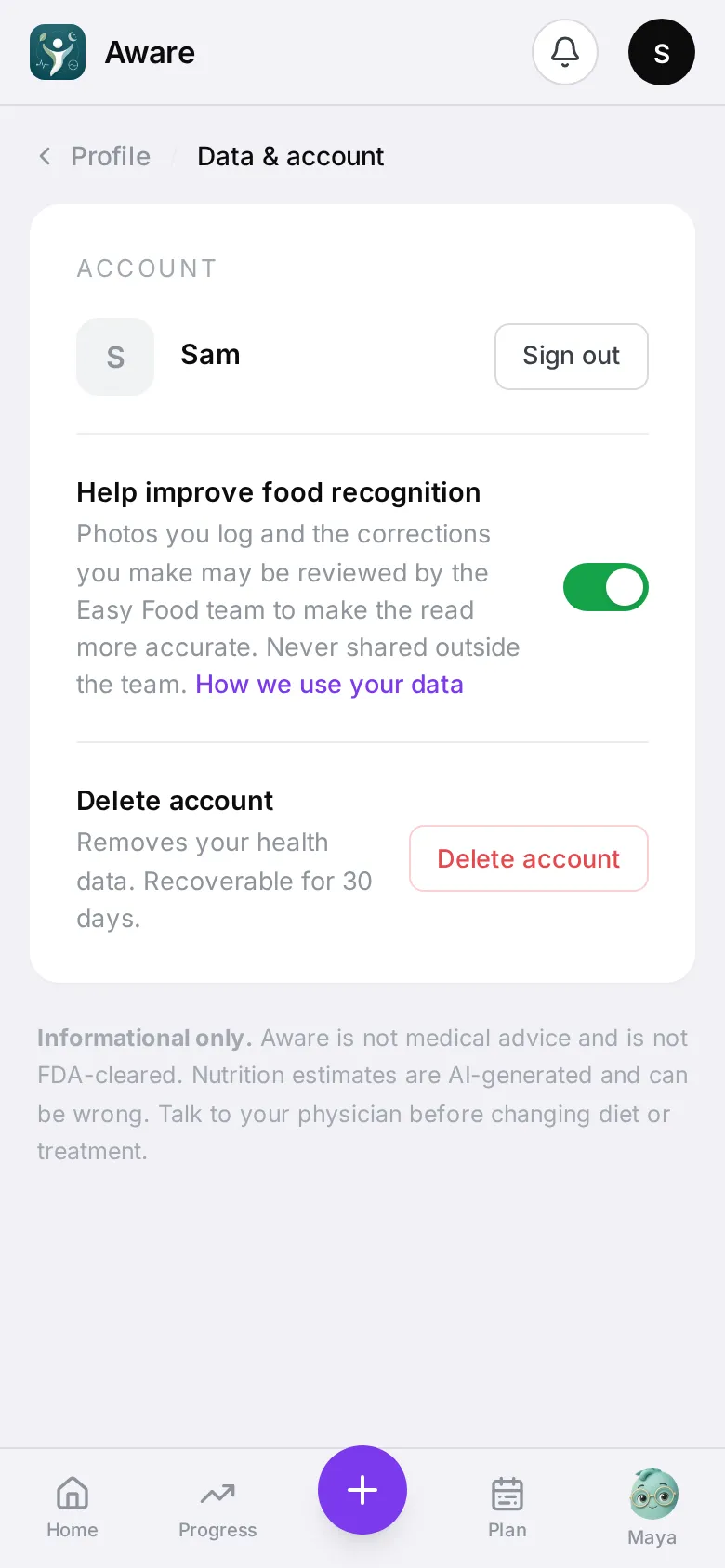
- Open Profile → Delete Account (also under Profile → Data & account).
- Pick the reason that fits best — the app asks for one before it will delete (for example Food analysis wasn’t accurate, Too many notifications, Privacy or data concerns, or Something else with a few words). Then tap Yes, delete my account.
You have 30 days to change your mind: sign in and tap Restore my account. After 30 days, your meals, photos, labs, health data, everything Maya remembers and your login are permanently deleted.
Your data
-
Photos of meals are private to you and shown only through short-lived links. A deleted meal’s photo is removed after 24 hours.
-
Grocery photos are read and thrown away; they’re never stored.
-
Lab values: the app uses them to set your limits. Maya and other AI steps see only whether a marker is in range, never the number.
-
Maya’s memory: see and erase it any time — What Maya remembers.
-
Help improve food recognition — on by default under Data & account. The team can review your meal photos and corrections to make reads better; switch it off and they never see them.
See our privacy policy for the details. The same documents — Privacy Policy, Terms of Service and Consumer Health Data Privacy Policy — are in the app under Profile → Privacy & Legal, and Contact Us there opens an email to us.